
Today
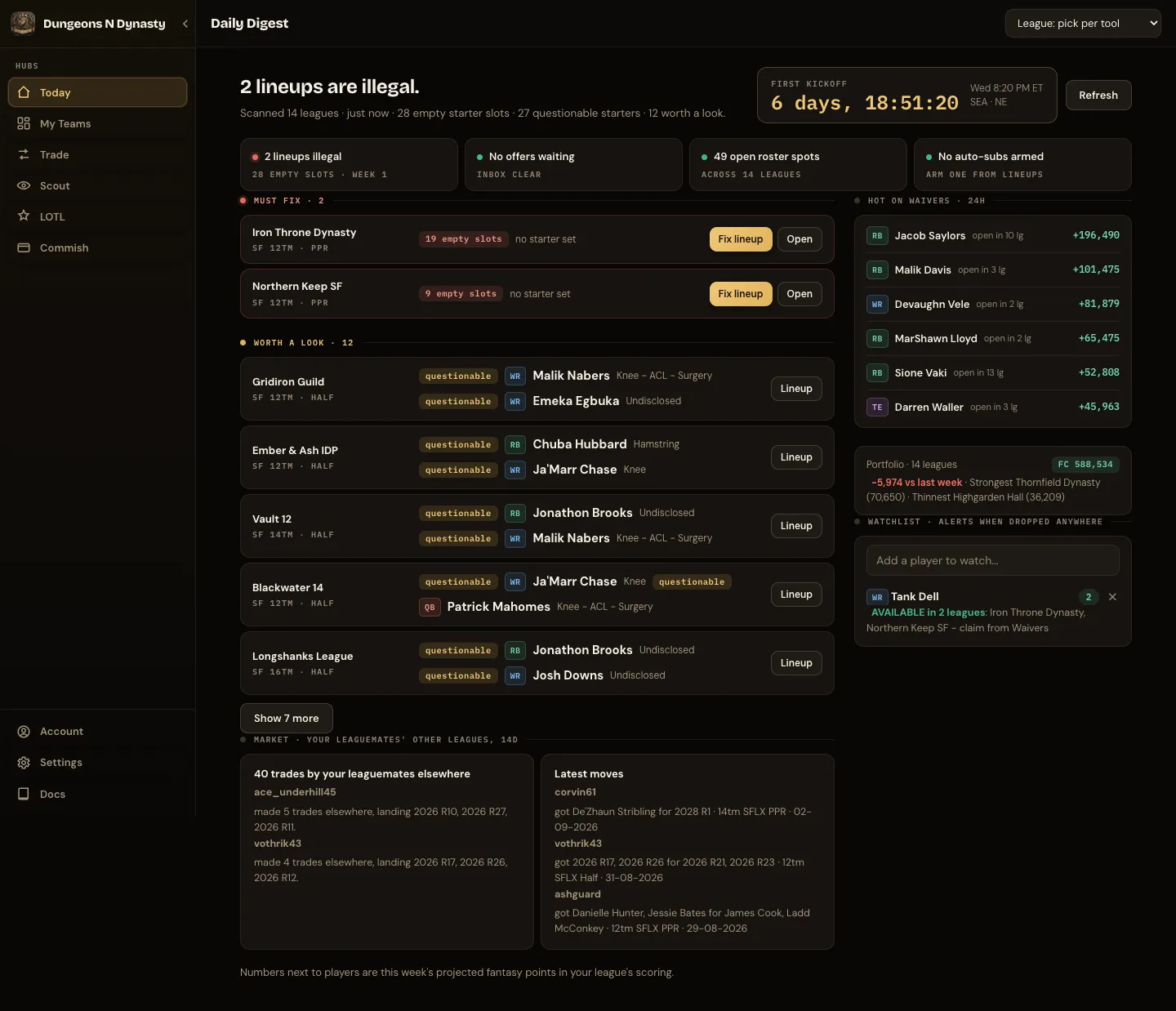
Today scans every synced league and sorts what it finds into three lists:
- Must fix: empty or ineligible starters, players on bye or ruled out, lineups that lock soon.
- Worth a look: pending offers, waiver movement, starters with injury concerns, auto-subs that are armed.
- Quiet: leagues where nothing needs you this week.
A countdown to the next kickoff window (Thursday night, Sunday early, Sunday late, Sunday night, Monday night) sits beside the headline, with how many games are live right now; once the week is over it says when waivers run. A slate strip under it shows every window of the week, its state (final, live, or the time), and how many of your starters play in it. A status strip beneath that shows illegal lineups, offers waiting, open roster spots and armed auto-subs at a glance. The number next to each player is this week’s projected points in that league’s scoring. Leagues where Sleeper sets the lineup automatically (best ball) are never flagged for lineup problems.
Since your last visit
Section titled “Since your last visit”When you come back after a break, Today opens with what happened while you were away: completed trades and waiver or free-agent moves across your leagues from the past week, with your own marked, plus how many new trades match your saved searches. Open takes you to that league’s HQ. The block stays hidden on your first visit and when nothing has happened.
Below the action list, cards summarise lineup alerts, pending offers, waiver movement across your leagues, armed auto-subs, and total roster value across every league. Each card links to the tab where you act on it; the offers card opens My Teams → Offers, as does each league row under Pending offers.
Market: your leaguemates’ other leagues
Section titled “Market: your leaguemates’ other leagues”Under the action list, Market shows what the managers in your leagues have been trading in their other leagues over the last 14 days. Most active ranks the leaguemates doing the most dealing and what they landed; tap a name to see only that manager’s moves. Latest moves lists each trade as what the manager got and what they gave, with positions and photos. Choose how many moves to show (3, 10, 15 or 25), or pick one of your leagues to see only the managers from that league. The league chips on each move are the leagues you share with that manager; tap one to open it in League HQ.
To see how your leaguemates have valued a player elsewhere, use Trade → Demand Radar.
Refreshing
Section titled “Refreshing”Opening Today shows your last complete read straight away, with “Updated 3 min ago” under the heading, while a fresh read runs in the background and replaces it within a few seconds. Anything you change in the app (a lineup, a claim, an offer, linking Sleeper, hiding a league) clears that copy so you never see the old state. Refresh rebuilds from Sleeper on the spot. If a league could not be read, the line says how many were fully checked and offers a retry.